- Developer
- Spellie
- Platform
- Web Browser
- Category
- Puzzle
- Players
- Single Player
- Price
- Free
About Spellie
Spellie takes the Wordle format and rebuilds it around vocabulary a kid is actually likely to know. Rather than one daily word pulled from a general dictionary, it runs three separate puzzles at once — Easy, Medium, and Hard — each drawing from a word list matched to a specific reading level, roughly Grade 2 through Grade 5. A parent and a younger sibling can play the same day’s Spellie without one of them getting a word neither of them recognizes.
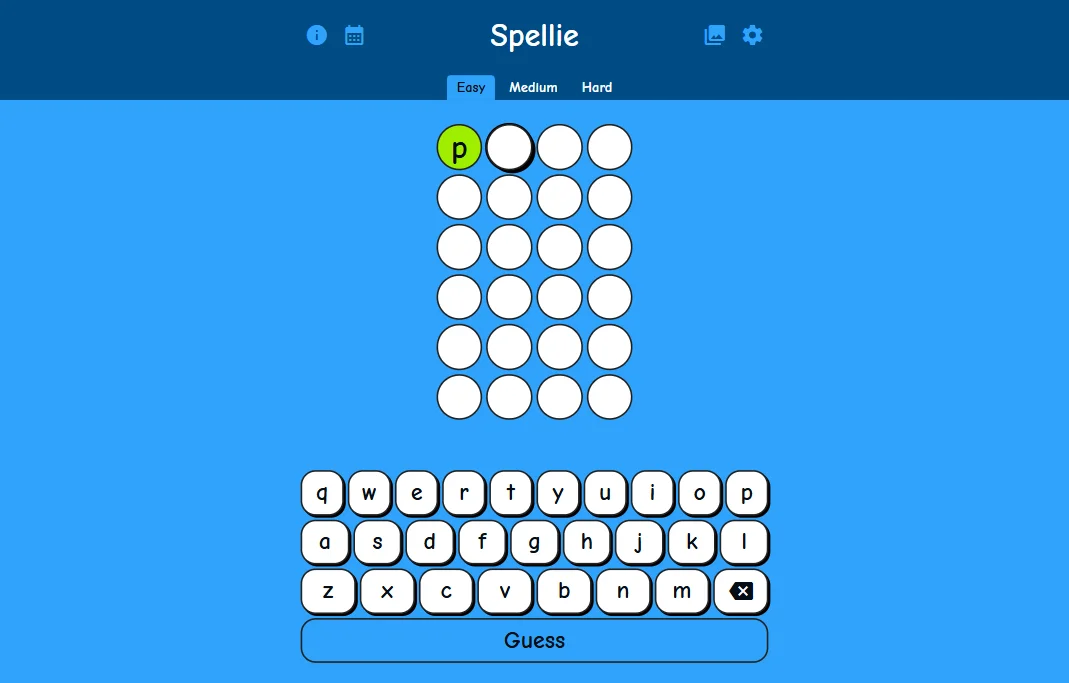
The core loop is standard Wordle: guess a word, get color feedback on which letters are right, and use that to narrow down the next guess within six tries. What Spellie adds on top is a light collection system — playing regularly unlocks hidden emojis — plus settings for keyboard layout, letter case, and an optional spell-checker for kids who are still learning to type accurately rather than just spell.
How to play
Type a guess or tap letters on the on-screen keyboard, then submit. Green means the letter is correct and in the right spot; other colors mean it’s in the word but misplaced, or not in the word at all. A hint system is available if a puzzle stalls out completely.
Tips & Tricks
Start on Easy even for a stronger speller — the shorter word list makes it faster to spot patterns, and switching to Medium or Hard afterward feels less intimidating once the format is familiar. Since all three puzzles reset on the same daily schedule, doing Easy first before Hard is a reasonable way to warm up rather than starting cold on the hardest list.
The archive is worth using if a puzzle gets abandoned mid-guess one day — going back to finish it later doesn’t cost anything, and it’s a good way to build up a longer streak without needing to play at the exact same time every day.
How to Play Spellie
Desktop Controls
| Key | Action |
|---|---|
| Type or Click | Type a letter or click it on the on-screen keyboard, then press Guess |
Mobile Controls
Tap letters on the on-screen keyboard, then tap Guess.